
Stop blaming variance.
Start measuring it.
CoolerTracker analyzes your PT4 tournaments and helps you separate variance from performance. Review coolers, bad beats, and flips with context so you can tell whether your result came from how you played or how you ran.
What moved the score
Compatible with major platforms
Turn Data Into Winning Decisions
No more guessing whether you played well or got unlucky. CoolerTracker gives you the answers you need.
Luck Score: see how variance affected your results
Flips, Coolers, Bad Beats and Cards Received — all in a single indicator.
CoolerTracker analyzes every hand in your tournaments and calculates a 0-100 Luck Score so you can understand how much variance shaped your results.
Variance Analysis
Luck Score: see how variance affected your results
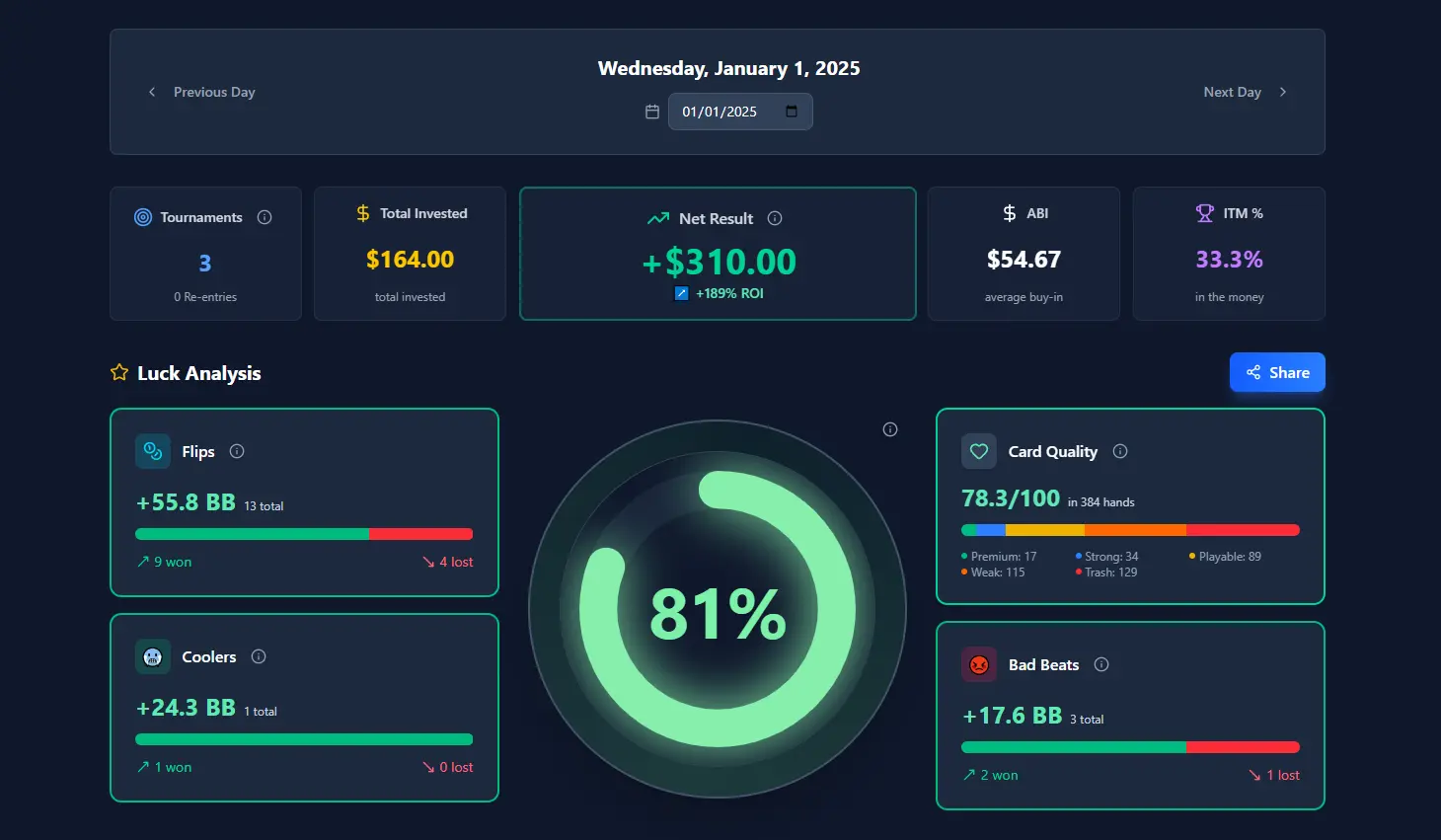
Turn your sessions into a visual story.
Calendar View: Your Evolution, Week by Week
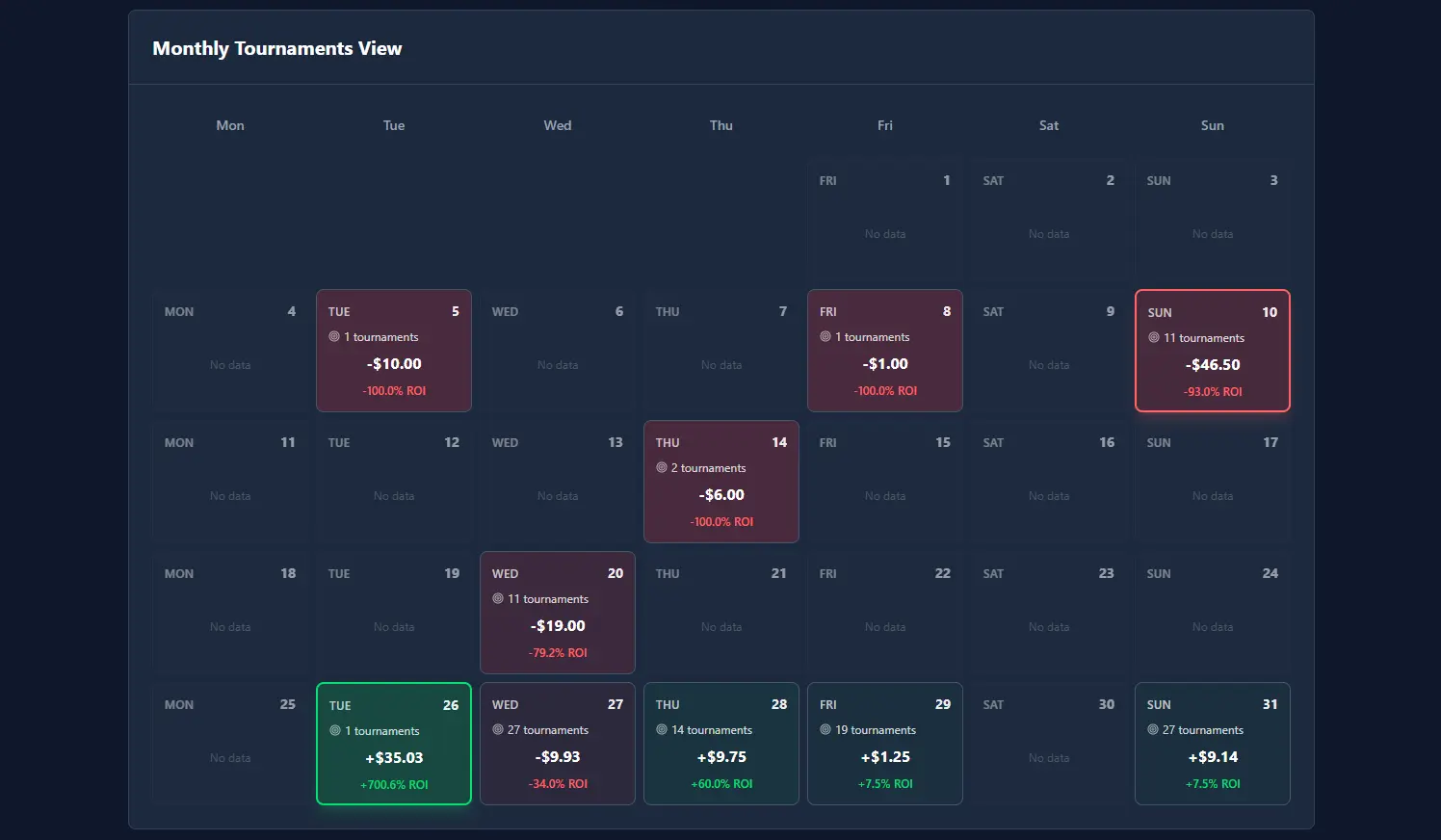
Calendar View: Your Evolution, Week by Week
Turn your sessions into a visual story.
Check your weekly or monthly results and detect patterns of variance or performance. Each day shows your result and luck level achieved, so you can see when you ran well... and when there was simply nothing you could do.
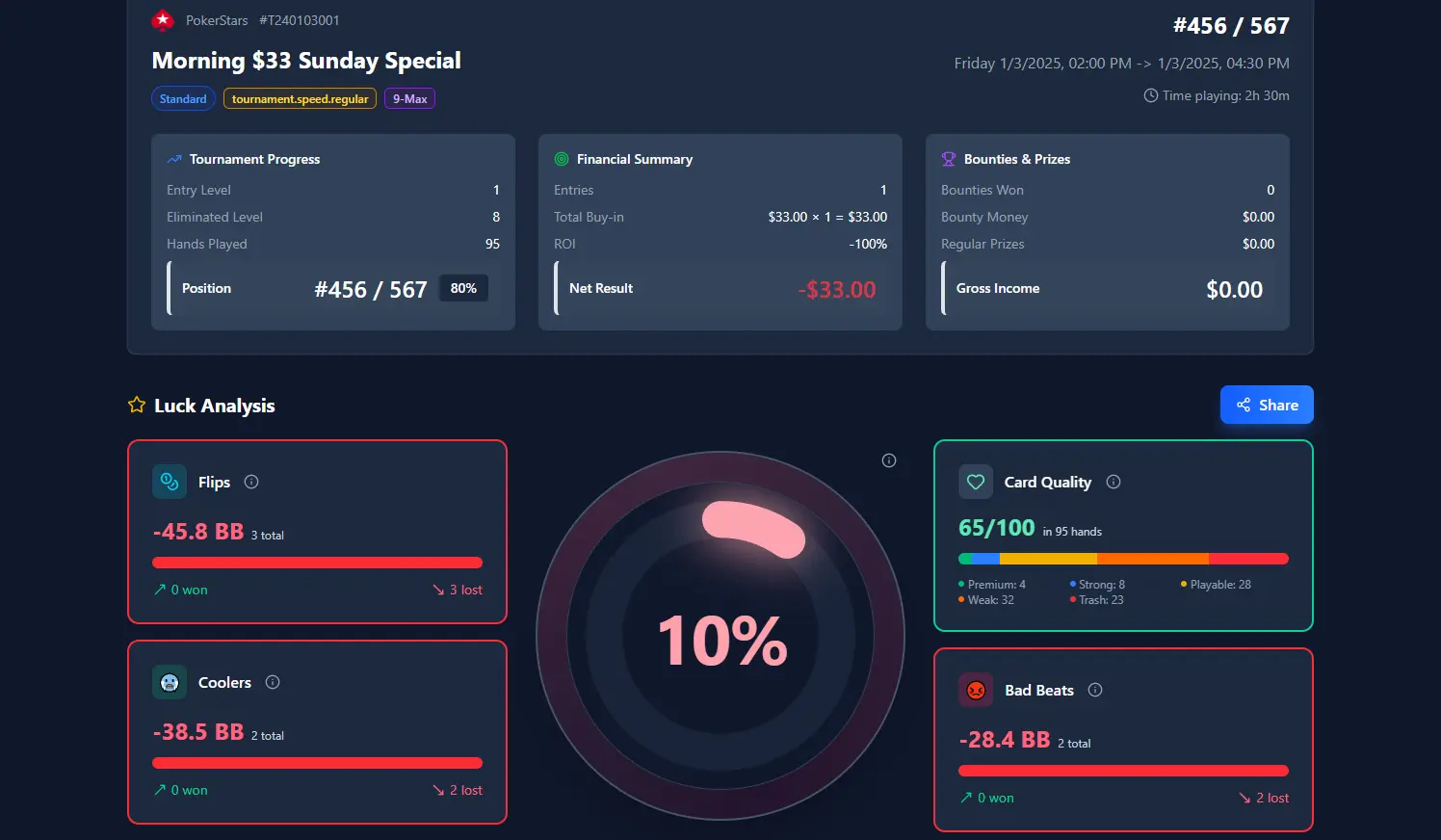
Tournament Detail View: Every Hand Counts
Analyze every hand and its impact on the tournament.
Explore your tournaments one by one: total result, specific Luck Score, most important hands and all hands automatically classified into normal, coolers, flips or bad beats.
Analyze every hand and its impact on the tournament.
Tournament Detail View: Every Hand Counts
Get started in 3 simple steps
Install CoolerTracker, connect PT4, and start reviewing your tournaments with context in minutes.
Download & Install
Get CoolerTracker for free and install it on your Windows PC in under 2 minutes.
Import Your Hands
Automatically connect to PokerTracker4 and import tournaments from PokerStars, Winamax, or iPoker.
Analyze & Improve
Gain instant insights into your luck vs. skill and make smarter decisions in every session.
Simple Pricing
One plan. Full access. No surprises.
Annual Plan
Everything you need to analyze your variance all year long
- Unlimited hand and tournament analysis
- Automatic detection of coolers, flips, and bad beats
- Complete session and results history
- Luck Score per tournament
- Discord support
- All future updates included
- Cancel anytime. No commitment.
Why players choose CoolerTracker
It helps you review results with more context and less noise.
Separate variance from performance
Detect coolers, bad beats, and flips so you can see when the result came from the run and when it is time to review decisions.
Every tournament has context
You do not stop at final ROI. You get key hands, luck score, and tournament detail in one place.
Your data stays local
CoolerTracker works from your PT4 database and processes everything on your PC. Your results stay local, and we do not share your data with anyone.
Learn the variance concepts
Guides on tracking MTT variance and telling coolers from bad beats — then measure them in CoolerTracker.
How to track tournament variance
What to log after each session, a weekly PT4 process, and how Luck Score, labels, and the calendar fit together.
Coolers vs bad beats
The difference between inevitable strong-hand collisions and suckouts — and why mixing them creates tilt.
CoolerTracker blog
Poker variance analysis, tournament review, and product guides.
Frequently Asked Questions
Everything you need to know before getting started with CoolerTracker
Do I need PokerTracker 4 to use CoolerTracker?
Which poker rooms are supported by CoolerTracker?
Does CoolerTracker store or share my data?
Can I cancel my subscription anytime?
How does CoolerTracker calculate my luck level?
Is it available only on Windows?
Start measuring your variance
Download CoolerTracker for Windows, connect PT4, and try it free for 7 days.